Free
The virtual camera
A real “AwayCam Camera” device any meeting app can select — Zoom, Meet, Teams, FaceTime.
AwayCam started as one honest idea — loop a clip of yourself so you can step away — then sweated every detail that makes the loop convincing, calm, and entirely yours.
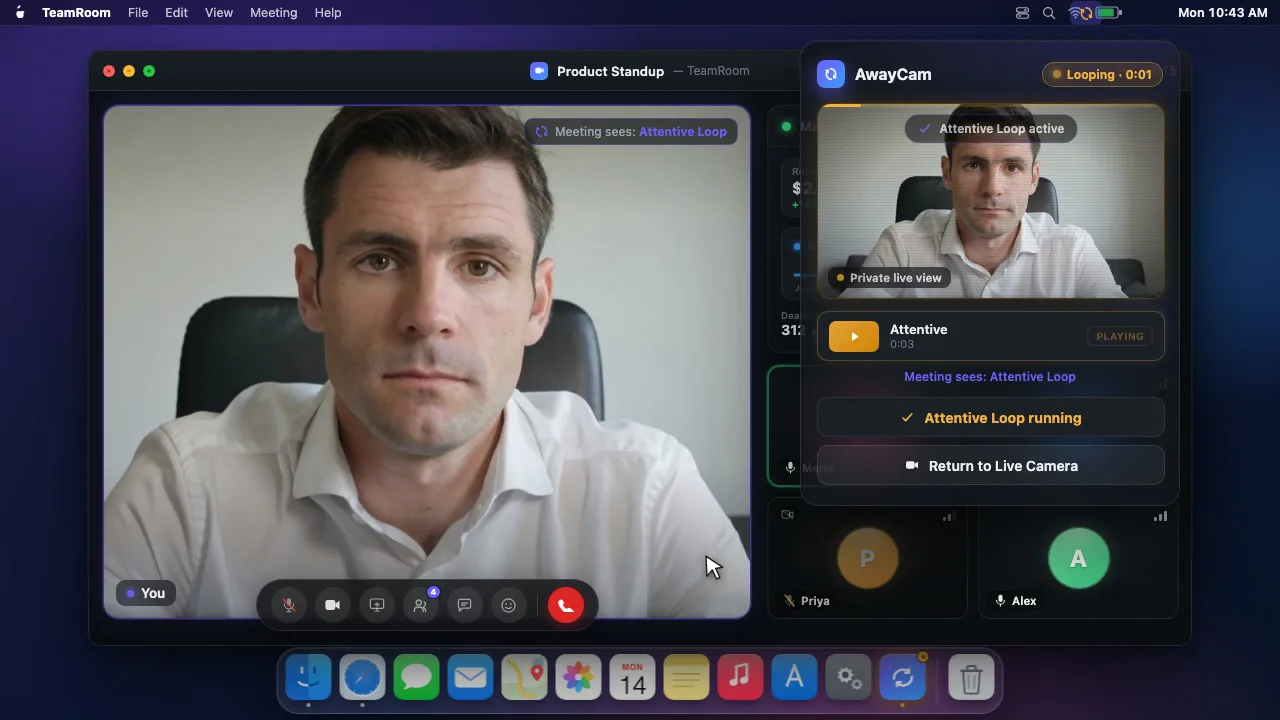
The whole “step away” workflow is free forever — the virtual camera, the loop, the controls.
A real “AwayCam Camera” device any meeting app can select — Zoom, Meet, Teams, FaceTime.
Give the virtual camera any name you like — it appears that way in every meeting app’s camera picker.
A short clip of you, played forward-and-back so there’s never a hard cut. It just looks like you, sitting there.
Switch Live, Away, and Standby from the macOS menu bar. Always one click away, never in your dock.
A clean, branded “camera paused” frame for when you want presence without the loop.
A loop’s giveaway is that it’s flawless. Pro layers in the small irregularities of a real connection.
A flawless loop gives itself away. This adds the occasional brief stutter of a real video call.
The light in a real room never holds perfectly still. A subtle brightness drift keeps a loop from looking frozen.
For forward loops, the boundary is blended so the jump back to the start never shows a seam.
A sharper, higher-quality video feed for your loop than the standard stream.
Let AwayCam decide when to go Away and when to come back — on a schedule, or the moment you return.
Step away from the keyboard and AwayCam switches to your loop on its own — no click, no hotkey. Pair with Auto-Return for a fully hands-free round trip.
On-device Vision detects when you’re back at your desk and flips you to Live automatically. No identity recognition.
Start talking while Away Mode is on and AwayCam warns you — before the room notices a frozen mouth.
Set a recurring break — lunch, 12–1, weekdays — and AwayCam goes Away on its own, then comes back.
Lock your Mac and step away — AwayCam goes Away instantly, then back to Live the moment you unlock.
Keep a library for every mood and setup, switch from anywhere, and move loops between Macs.
Keep a library of loops for different moods, lighting, and outfits. Free saves one.
Pick a loop per meeting app — your Zoom loop for Zoom, your Teams loop for Teams — switched automatically as you change apps.
One press of F13 flips Live↔Away from any app — a free, collision-free escape hatch the moment you need to step away.
Switch modes from anywhere with ⌥⌘A / ⌥⌘L / ⌥⌘S — no menu, no window, no friction.
Bring loops in from anywhere, or save yours out to back up and move between Macs.
Every essential is free. Pro is for the details that make a loop indistinguishable — and the automation that runs it hands-free.